


Most building inspection workflows still rely on structured forms. Things like tickboxes, dropdowns, and predefined fields. These systems are tidy in theory but messy in practice. They interrupt site flow, reduce the inspector to a form-filler, and often miss the one thing that matters most: context.
As a building consultant, I’ve reviewed hundreds of reports. Too often they look the same, itemised issues, vague wording, and maybe a photo or two bolted on as an afterthought.
Photography as Primary Data
What if we flipped the script? What if the photo was the primary data source? Or even a video recording of your entire inspection?
This isn’t just about snapping a few images—it’s about capturing scenes methodically. Our team takes three deliberate shots per issue:
- Wide – for spatial context (where are we?)
- Medium – to show relationship and scale (what’s going on?)
- Close-up – to record the detail, evidence, or defect (what’s the story?)
This isn’t a gimmick. It’s a repeatable way to gather more, faster. In fact, we’ve found that this method:
- Reduces the need for note-taking on site
- Minimises disputes with visual evidence
- Speeds up reporting, because everything you need is already in the frame
Photos Don’t Lie (But They Do Inform)
One of the most useful things about a well-captured image is how much it says without interpretation.
For example, we recently inspected a roof space with unusual staining. Our images picked up three things:
- The shape of the pattern (a tell-tale wick from sarking)
- Proximity to a known leak point
- Signs of prior repairs
We didn’t need to guess or hypothesise, the answers were in the pixels.
In legal or insurance scenarios, that kind of image trail becomes invaluable. Nobody needs to ask, “What did the consultant mean by ‘moderate cracking’?”, they can see it for themselves. Better still, a court will favour video evidence far more for its contemporaneousness.
Structured Data Still Has a Place
We’re not throwing the database out with the clipboard. Structured data, fields like condition rating, asset type, priority, trade; are all still important. Especially when reports are feeding:
- Strategic asset management
- Capital works forecasting
- Maintenance planning
- ISO 55001 compliance frameworks
But here’s the trick: structured data doesn’t need to interrupt the inspection. If the image is rich enough, you can derive the structured inputs after the fact, on site, or back at your desk.
Building a Better Tool
This philosophy has shaped CamReport. Our app flips the usual process on its head:
- Start with images, not fields.
- Export a document that is AI-workflow ready.
If you’re a builder, project manager or contract administrator assigned the task of recording the dilap, the last thing you want is those images to live in your camera roll after the fact. Scrambling for them as soon as there’s a challenge down the line.
As for professionals who know what they’re looking at and just want to capture it in the smartest, cleanest way possible – you get to safeguard your professional judgement, and choose how the artefacts you’ve created are used in your workflow.
We’ve kept it lean: no bloated menus, no 30-step form wizards. Just intuitive photo capture, smart tagging, and real-world outputs.
Was there lat/long metadata in the image you captured? (if you used your phone, probably). It can even include mapped drop pins and hyperlinks to Google Maps next to every image:
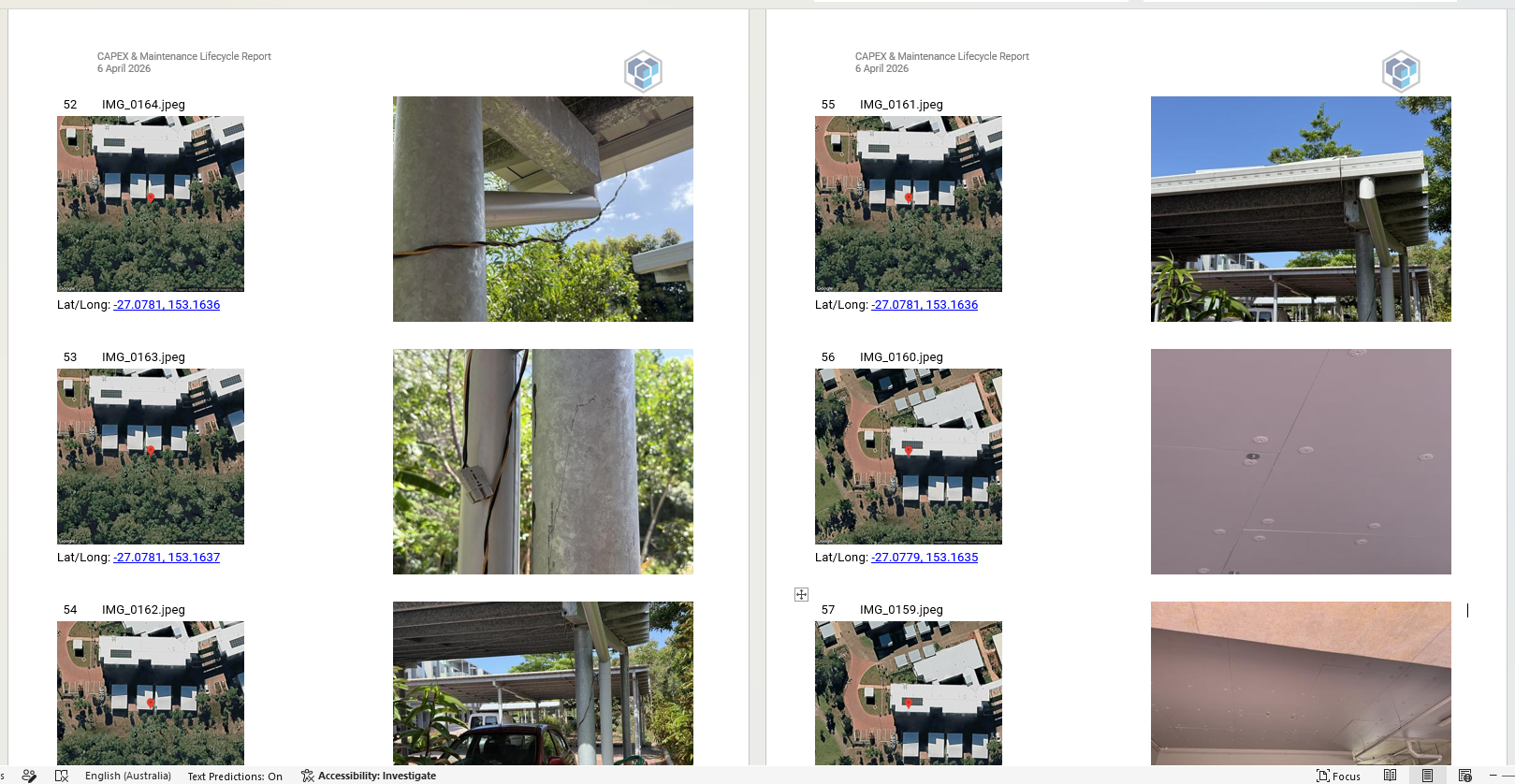
Upload images > choose export type > generate .docx – the world’s first photo report app without form filling.
What’s Next
It’s not just about speed, it’s about fidelity. About making sure what’s captured on site is still true when someone opens that file six months later. Who took the photo? Exactly where was it taken? When was it taken? Difficult when it’s just a .heic or .jpg attached to an email.
Good data doesn’t just happen. It’s captured with intent.
Sometimes, the best thing you can do on site isn’t to reach for a form, it’s to raise your camera.
CJLM
Use CamReport for free here